Both turn a pile of action footage into a highlight video. Quik is GoPro's phone app, and its automatic highlights come from footage uploaded to GoPro's cloud on a subscription. Kime is a desktop app that does it on your own computer, free, from any camera.
GoPro QuikAuto highlights need GoPro Premium, $59.99 a year
On your computer
A desktop app for Windows and Mac.
GoPro QuikA phone app; no Windows version
Any length of file
Long files, whole cards, any number of clips.
GoPro QuikAuto highlights skip videos over 20 minutes
Captioned clips too
Word-by-word captions from talking footage.
GoPro QuikNo automatic captions described
Side by side
Kime and GoPro Quik, line by line
What each one does with your footage, what it costs, and what it keeps. GoPro's side is taken from its own shop pages, help articles and App Store listing.
Kime and GoPro Quik compared, row by row, with who has the edge on each
What
Kime
GoPro Quik
Where it runs
EvenWindows and MacOn your computer, Windows or Mac. Your video is never uploaded.
EveniOS and AndroidA phone app for iOS and Android. GoPro says Quik for Mac was removed from the App Store and a Windows version will not be released.
Price
Kime has the edgeFreeFree on your computer. Kime AI is an optional monthly subscription, priced at public release.
Free app, $59.99+ a year for highlightsQuik is free to download. GoPro Premium is $59.99 a year and Premium+ $99.99 a year, in select territories.
Automatic highlight videos
Kime has the edgeFree, no uploadFree. Kime finds the moments itself from movement, faces, sound and light, then cuts them together in order.
Subscribers, from the cloudFor subscribers. Built from footage Auto Upload sends to the GoPro cloud, plus media on your phone.
Limits on footage
Kime has the edgeNoneNone: long files, whole cards, any number of clips.
20 minutes a videoAuto highlights skip videos over 20 minutes, time-lapses, chaptered videos and 360 footage; up to 75 items and 20 minutes per video, at most two suggestions a day.
Cameras
EvenAny cameraAny: GoPro, Insta360, DJI, phones and cameras that record MP4, MOV, MKV or INSV.
EvenAny, plus GoPro dataImports from any camera. GoPro's own highlight detection reads the data GoPro cameras record, such as GPS, speed and g-force.
Stills
Kime has the edgeFull resolution, freeFull-resolution stills from the moments it keeps, free.
Not coveredGoPro's pages compared here don't cover this.
Captioned clips from talking
Kime has the edgeYes, word by wordYes: word-by-word captions, a crop that follows the speaker, an .srt beside every clip.
Text overlays onlyText overlays and title slides. GoPro's Quik pages describe no automatic captions.
Export quality
EvenSource resolutionUp to the source's own resolution.
EvenHD, or source qualityHD by default, with a Source Quality option.
Your footage and AI training
EvenNever sentYour video is never sent anywhere.
EvenVoluntary programmeGoPro runs a voluntary AI Training Program for subscribers, covering footage uploaded to the GoPro cloud.
Available
Private testingIn private testing, Windows and Mac.
GoPro Quik has the edgeNowNow, on iOS and Android.
Nothing here under that filter.
Who has the edge on each row is our call, made from each side's own pages. Turn on the detail to see exactly what each one says.
You want highlight videos from your computer, not your phone
Your footage is long, or comes from more than one camera
You'd rather not upload your footage or pay a subscription for highlights
You want captioned clips from talking footage too
Choose GoPro Quik if
You want to edit on your phone, right after filming
You shoot on a GoPro and want its GPS, speed and g-force data in your edits
You want your footage backed up to the cloud
You want to start today: Kime is still in private testing
Made by Kime
What it made, on these pages
Every clip and cut here came out of Kime, from openly licensed footage.
Action
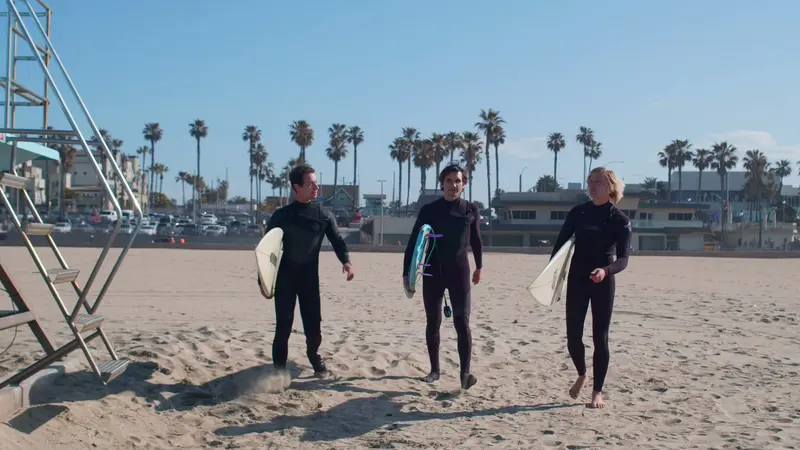
A highlight cut from a surf morning
29 files and five minutes in, a 45-second cut and 8 stills out, with the AI off.
Sport
A highlight cut from a match
Four clips from the sideline in, a 30-second cut and 8 stills out, with the AI off.
On your computer
Your video stays on your computer
Kime finds the moments itself, on your own computer. No upload, no queue, no account and no credits counted per minute. It works on a plane. Turn the AI on for a file and it sees the words Kime heard and a few small snapshots, never your audio or your video.
Finding moments
on this computer
Video upload
never
Account
not required
Watermark
none
48 min file, recent Mac
about 4 min
FAQ
Questions
Anything else, ask: one person reads hello@kime.video.
For highlight videos, yes. Kime makes a highlight cut and stills from GoPro footage, or any other camera's, on your own computer. It is free there, with no subscription and no upload.
Yes. Kime reads the MP4 and HEVC files GoPro cameras record, including long 4K files and whole cards, straight from where they sit.
GoPro says Quik for Mac was removed from the App Store and a Windows version will not be released; Quik is a phone app. Kime is a desktop app for Windows and Mac.
No. Highlight cuts, stills and clips are free on your computer. Kime AI is an optional monthly subscription for when you want the AI to choose and write.
Kime is in private testing on Windows and Mac. Email hello@kime.video and we will write once, when it is out.
In private testing
Free, on your computer
Kime is in private testing on Windows and Mac. Everything it does on your computer is free, and your video stays there.